

In an age where home security is a paramount concern, the Ajax Wireless Alarm system stands out as a leading solution for safeguarding your property. Designed with cutting-edge technology and user-friendly features, this robust system ensures that your home remains protected against intrusions and emergencies. Setting up the Ajax Wireless Alarm may seem daunting at first, but with the right guidance, it can be a straightforward process. This comprehensive guide aims to provide you with step-by-step instructions to successfully install and configure your Ajax system, ensuring optimal performance and peace of mind. From understanding the various components of the alarm system to strategically placing sensors around your property, we will walk you through each crucial stage of the setup process. Additionally, we will delve into the software configuration, offering tips on how to customize your alarm settings to suit your unique security needs. Whether you are a tech-savvy homeowner or a novice in the realm of security systems, this guide will equip you with the knowledge and confidence to effectively protect your home with the Ajax Wireless Alarm. Prepare to enhance your security strategy and enjoy the benefits of a safe and secure living environment.
– Understanding the Ajax Alarm System Components
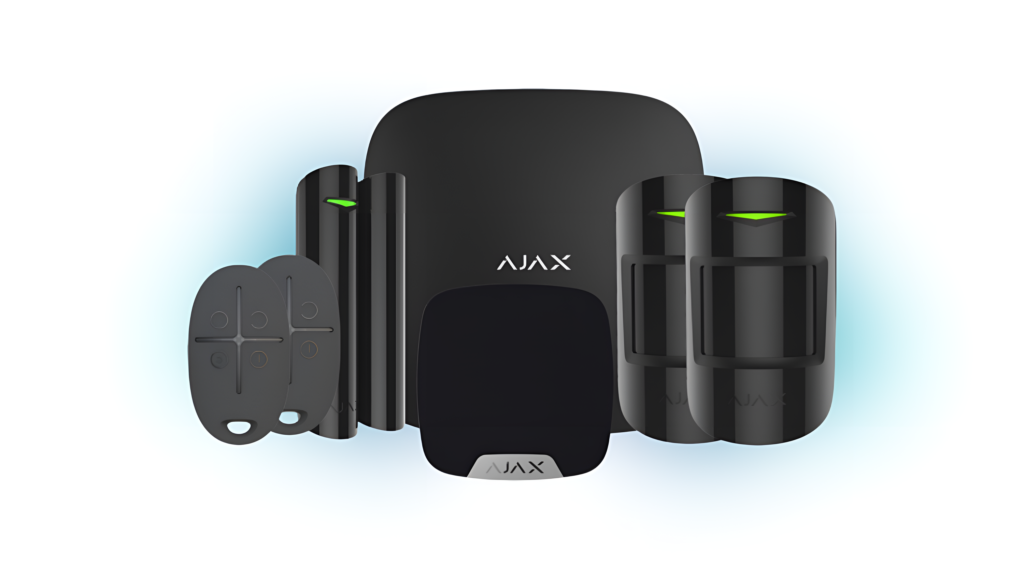
The Ajax Alarm System comprises several key components that work together to provide a robust security solution. At the heart of the system is the Hub, which acts as the central communication unit, connecting all devices and facilitating real-time alerts and monitoring. Sensors play a crucial role in detecting various intrusions, including motion sensors, door/window contacts, and glass break detectors, each designed to trigger an alarm when unauthorized access is detected. Additionally, the use of key fobs and mobile apps allows users to manage the system conveniently, ensuring that they can arm or disarm the alarm remotely.
Moreover, the Ajax system incorporates a variety of supplementary devices such as cameras and sirens, enhancing overall security and providing visual and auditory deterrents against potential threats. Each component is designed with a focus on reliability and ease of use, featuring wireless connectivity that minimizes installation complexity while ensuring seamless operation. Understanding these components and their functionalities is essential for effectively setting up and customizing the Ajax Alarm System to meet specific security needs.
– Step-by-Step Installation Process Explained
To initiate the installation process, begin by selecting an optimal location for the Hub, ideally in a central position within your premises to ensure maximum coverage and connectivity with all sensors. Once the Hub is powered and connected to the internet, proceed by installing the individual sensors in designated areas, such as entry points and high-traffic spaces. Each sensor should be mounted according to the manufacturer’s guidelines, ensuring they are positioned to effectively detect movement or unauthorized access without obstructions.
Next, configure the system through the suitable mobile app or web portal, where you will create user accounts, set up notifications, and customize settings according to your security needs. This step typically involves pairing each sensor with the Hub, which can be done easily by following the prompts in the app. Once all components are connected and configured, conduct a series of tests to verify functionality, ensuring each sensor is responsive and the system operates as intended. Regular testing and maintenance checks will further enhance the reliability of your security setup.
– Essential Tips for System Configuration
When configuring your system, it is crucial to implement a robust naming convention for your devices. This not only aids in easy identification during monitoring but also enhances management efficiency, especially in larger installations. Group similar devices or those located in close proximity under common designations, facilitating quicker response times in case of alerts. Additionally, regularly updating your system’s firmware ensures that you benefit from the latest features and security enhancements, mitigating vulnerabilities that could be exploited by malicious entities.
Another essential consideration during system configuration is to establish a comprehensive user management protocol. Assign access levels tailored to different users, allowing you to maintain control over who can modify settings or view sensitive information. This practice not only improves security but also streamlines operations by ensuring that only authorized personnel can make significant changes to the system. Lastly, take advantage of the scheduling features available within the application to automate specific functions, such as setting arm/disarm times, which can further enhance your overall security strategy.
In conclusion, setting up your Ajax Wireless Alarm system is a straightforward process that ensures both security and peace of mind for your home or business. By following the detailed steps outlined in this guide, you can effectively configure your system to meet your specific needs, harnessing the full potential of its advanced features. Remember to regularly update your system and familiarize yourself with the various components to maintain optimal performance. With the right setup, the Ajax Wireless Alarm not only enhances your safety but also provides a seamless user experience, allowing you to focus on what truly matters—your safety and security.